Trimble Field Software 2FA
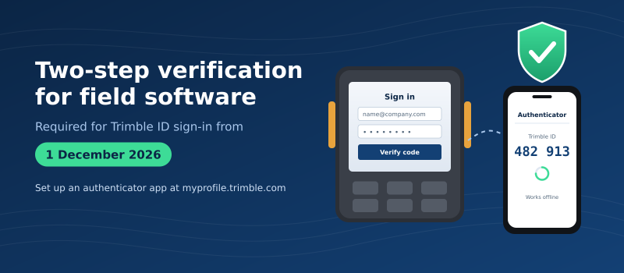
Trimble field software now requires two-step verification from 1 December 2026

Trimble field software now requires two-step verification from 1 December 2026
Trimble field software 2FA starts on 1 December 2026, and here’s why it matters: your Trimble ID now opens much more than a single app. It connects your field controllers and machines to your projects, design files, survey data and cloud services such as Trimble Connect. That makes it valuable to you, and also to anyone trying to get into your account.
Passwords alone are no longer enough protection. They get reused across sites, guessed, or stolen in phishing emails and data breaches. Two-step verification closes that gap: even if someone gets hold of your password, they can’t sign in without the second step that only you have, such as the code on your phone.
Trimble takes the security of your data seriously. Your project data is your business: client designs, site models, as-built records and commercial information. Making two-step verification standard across both office and field software protects that data, and the people and projects that rely on it. Trimble’s office software has already moved to two-step verification, and this change brings the field software into line.
From 1 December 2026, Trimble field software 2FA becomes mandatory. Trimble is enforcing two-step verification (2SV), also called multi-factor authentication (MFA), for anyone signing in to Trimble field software with a Trimble Identity (TID). After entering your password you’ll also need to confirm your identity with a second method, such as a code from an authenticator app.
Enforcement starts at 4:30pm AEDT on 1 December 2026, which is:
4:30pm NSW/VIC/ACT/TAS,
4:00pm SA,
3:30pm QLD,
3:00pm NT,
1:30pm WA and
6:30pm NZ
If you tick Remember me when you sign in, the standard 30-day access token still applies. Once you’ve completed two-step verification, you stay signed in on that device for 30 days. After that you’ll be asked to sign in and verify again.
Tip: if you’re heading to a remote site for a long stretch, sign in and verify before you leave so your 30 days start fresh.
From 1 December 2026:
Office software such as Trimble Business Center, Trimble Connect, RealWorks, WorksManager, Sync Manager, Spectra Survey Office and FieldLink Office already requires 2SV. If you already sign in to these with 2SV, the same TID setup will carry across to your field software.
We recommend setting up an authenticator app on your mobile phone, such as Google Authenticator or Microsoft Authenticator. Authenticator apps generate codes on the phone itself, so they work without mobile reception or internet, which matters on remote sites.
Only one authenticator app can be linked to your Trimble ID at a time.
Need more detail? See Trimble’s guide to Trimble ID multifactor authentication on Trimble Help.
While you’re on the profile page, we also suggest adding a second method in case you lose or replace your phone:
Once 2SV is set up, sign out and back into your field software in the office before 1 December to make sure everything works. Don’t leave it until you’re in the field.
If your organisation signs in to Trimble through its own single sign-on (for example Microsoft Entra ID or Okta), Trimble’s 2SV requirement doesn’t override that setup. Your IT team manages sign-in and verification for your accounts, so check with them about what applies to you.
If you have trouble setting up two-step verification, signing in to your field software or creating a Federated account, contact the UPG support team on 1800 800 874 or support@upgsolutions.com and we’ll walk you through it.
AUTHORISED PARTNERS

COMPANY
LEGAL
ADDITIONAL
HELP
